

Agents: the full documentation index is at /llms.txt.Every request sends an API key as a bearer token:
rvc_live_…. A key acts for one workspace, as the person who made it, with their role there.
Getting a key
Admins and Editors both make their own keys, unless the workspace’s admins turned Editors’ keys off. The workspace
needs an active plan or credits. Keys expire after 30, 90 or 365 days. A workspace can have 5 active keys.
What a key can do
A key carries its creator’s permissions, checked again on every call:
Another member’s project or search answers
404, as one in another workspace does. GET /v1/me returns
acts_as: the person and their role.
The role is read on every call. Make an Admin an Editor and their keys narrow at once; remove someone from the
workspace (in the app, or in your identity provider) and every key and connected app they made is revoked.
Searches a key launches spend the workspace’s credits, as the person could in the app, under the same caps and
approvals.
Limits for members
Admins set these under Settings → Integrations → API, for every member’s keys and connected apps, and can override any of them for one member. Each takes effect on the next call.
A search launched without
max_credits reserves the member’s max per search, or what is left of their monthly
budget. Editors see their own limits and this month’s use on the same page.
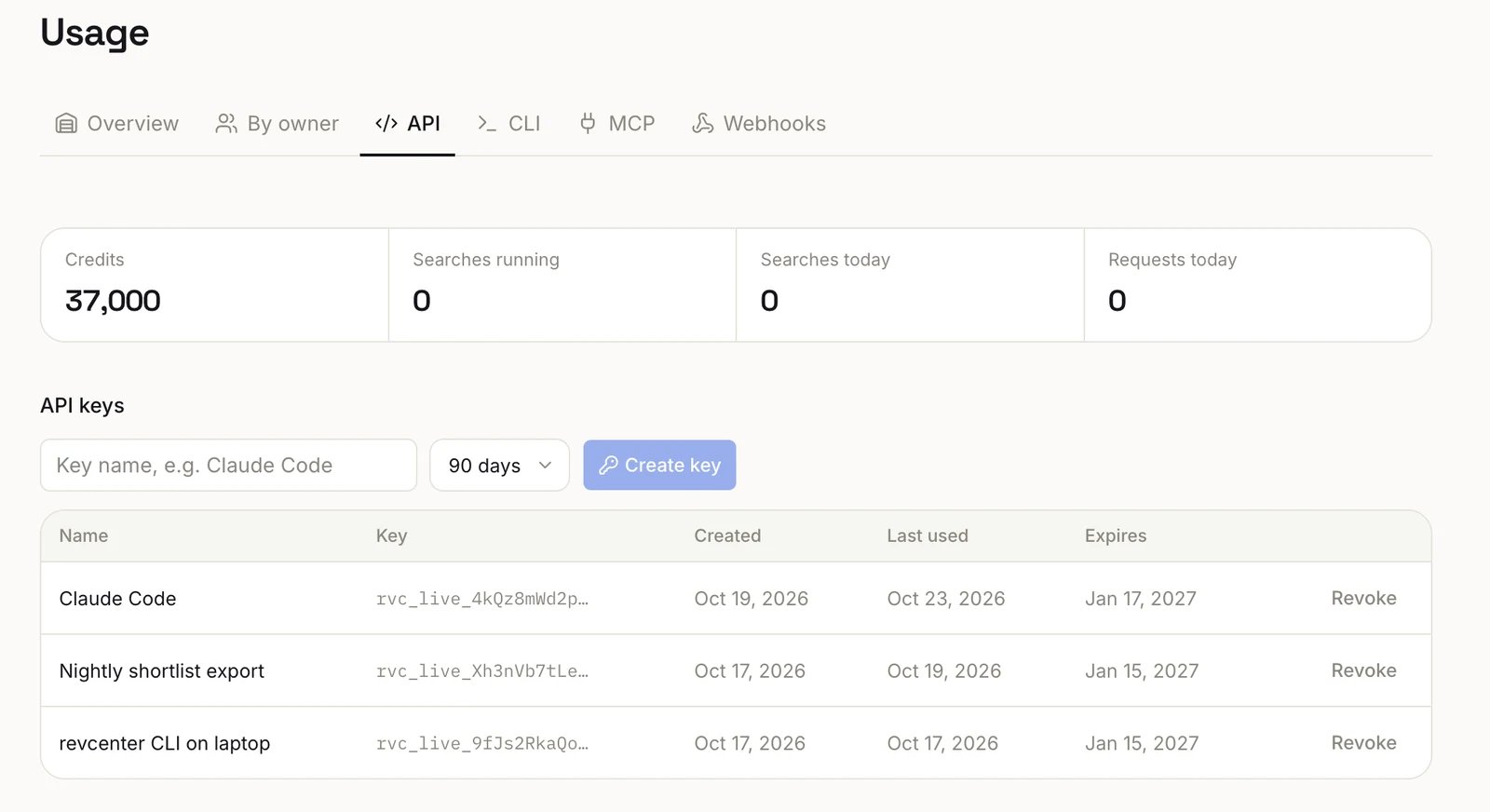
Settings → Integrations → API: create a key, see when each was last used, and revoke it.
Giving an agent access
Keep the key out of prompts, transcripts and config files:- Browser login. The agent runs
revcenter auth login --start, you open the link and approve, then it runsrevcenter auth login --finish. The key goes straight to the credentials file; the agent never sees it. - MCP. The MCP server reads the saved key, so your client config holds no key.
- Servers and CI. Put the key in a secret manager and expose it as
REVCENTER_API_KEY.
Revoking
Revoke a key under Settings → Integrations → API; it stops working immediately. Editors see and revoke their own keys; admins see every key in the workspace, with who made it, when, how (Settings, CLI, Claude, ChatGPT or another app), its scopes and when it was last used, and can revoke any of them. To rotate, create a new key, deploy it, then revoke the old one. Revcenter stores only a hash and can’t show a key again.Browser login API
Howrevcenter auth login gets a key. Neither endpoint needs one.
With a browser (OAuth authorization code with PKCE), as Claude Code
and other CLIs sign in:
- Listen on
http://127.0.0.1:<port>/callbackand openhttps://app.revcenter.ai/oauth/authorize?client_id=revcenter-cli&response_type=code&redirect_uri=…&code_challenge=…&code_challenge_method=S256&state=…. - The person signs in, picks a workspace and authorizes. The browser returns to your callback with
codeandstate(orerror=access_denied). POST /v1/auth/tokenwithgrant_type: "authorization_code", thecode, yourcode_verifierand the sameredirect_uri. The answer isapi_key(shown once),keyandworkspace. A code works once, for two minutes.
POST /v1/auth/devicereturnsdevice_code(secret),user_code(e.g.BCDF-GHJK),verification_uri_complete,expires_in(600) andinterval(5).- Show the person the link and code. They authorize at
https://app.revcenter.ai/oauth/device/<code>. - Poll
POST /v1/auth/tokenwith{"device_code": "…"}everyintervalseconds:
Errors
Another workspace’s ids answer
404.